Purpose and location
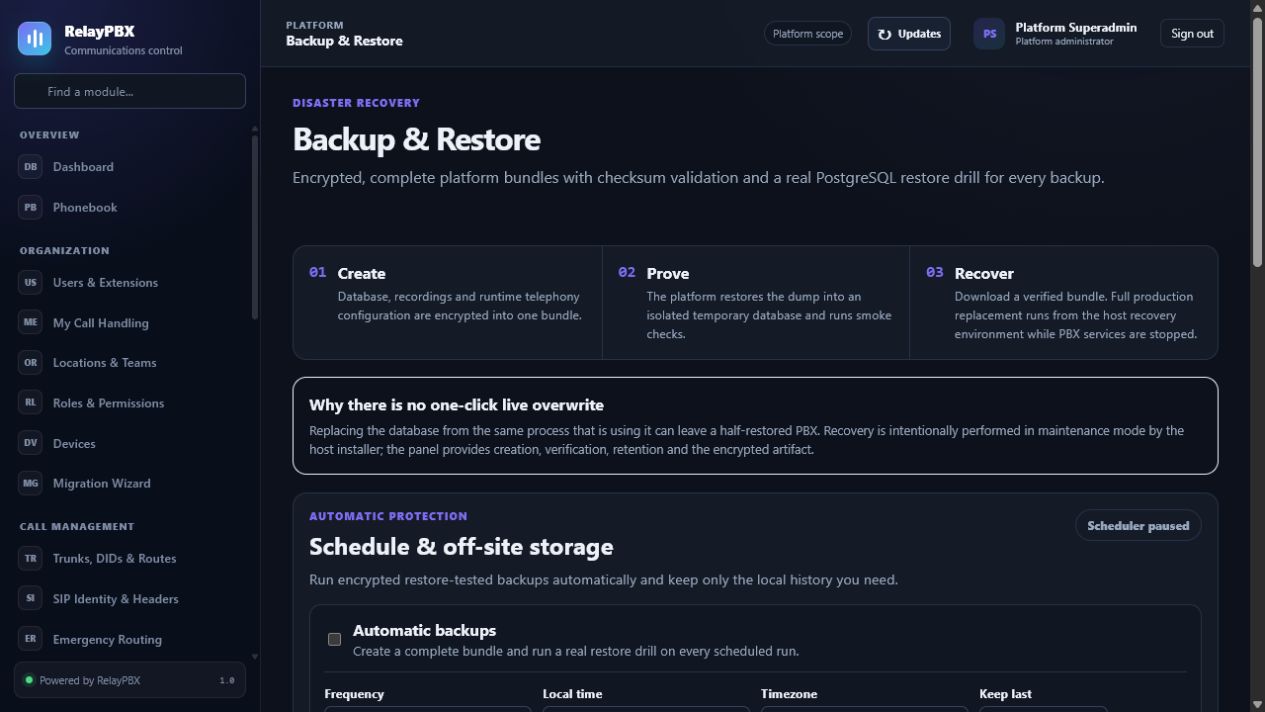
Schedule encrypted backups, enforce retention and prove restore readiness.
Open Platform → Backup & Restore. The available controls depend on the active edition, module entitlement, role and tenant scope.
Before you start
Platform changes can affect every tenant. Confirm a recent verified backup, an audit owner and a maintenance window whenever the operation can restart services or change entitlement.
Capture the current value or export the affected records before a bulk or routing change. This gives the operator a precise comparison point and makes a supported transaction undo easier to assess.
Step-by-step workflow
Complete the steps in order. Do not combine an initial configuration with unrelated cleanup; small, attributable changes are easier to test and reverse.
- Choose local, S3-compatible, SFTP or managed storage.
- Set timezone-aware schedule and retained generations.
- Run and verify a backup.
- Perform regular restore drills on a clean host.
Field reference
Use the reference below while completing the form. Fields hidden by edition, module entitlement or role are intentionally unavailable to the signed-in user.
- Schedule
- Daily or weekly local execution time.
- Retention
- Number of successful generations to keep.
- Destination
- Local, S3, SFTP or managed target.
- Encryption
- Required key reference for exported bundles.
- Last verified
- Most recent checksum/restore validation result.
Acceptance checks
A saved record is only the beginning of validation. Run every relevant check below and retain the call-session ID, time and result when telephony is involved.
- Run a manual backup and confirm checksum, encryption and off-site upload.
- Restore the bundle into an isolated clean host and complete the smoke checks.
- Verify retention removes only old successful generations and never the newest verified backup.
Common mistakes and safe recovery
If a check fails, stop adding changes. Restore the previous value or use a supported transaction undo, regenerate PBX configuration, then repeat the smallest failing test.
- A successful upload is not a successful restore.
- Keep the encryption key and recovery instructions outside the PBX host and test access by a second authorized operator.
What to include in a support case
Provide the tenant, module and object name, local time with timezone, expected result, observed result and the most recent successful state. For a call problem, include the logical call-session ID and the redacted SIP/SDP text diagnostic before requesting PCAP.
Never paste passwords, private keys, raw license payloads or unredacted customer media into a ticket. Use the one-time diagnostic grant and attachment controls when support requests additional evidence.